In the print dialog, choose "Save as PDF" as the destination.
Operating Systems 1, Lab 2
What the designer writes for you, why a form is a class, and how to start a project the right way.
InitializeComponent and fix a designer that will not openPart 1
Fast to build, easy to outgrow
| Project type | Window designed with | Status |
|---|---|---|
| Windows Forms | Drag and drop | Since the first .NET; common in companies |
| WPF | XAML markup | Usual choice for a new desktop app |
| UWP | XAML | Tied to new Windows versions; deprecated |
| .NET MAUI | XAML | Desktop and mobile; young |
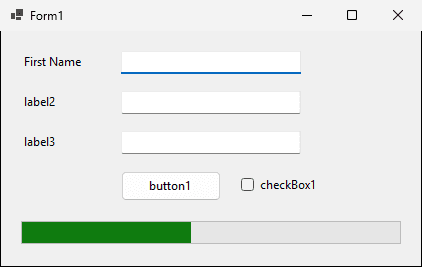
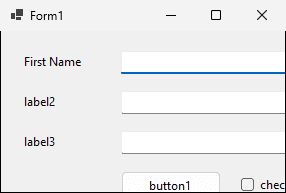
The form was designed at 420 x 235. What happens when the window is smaller, or maximized?

Part 2
A quick demo, then a look inside
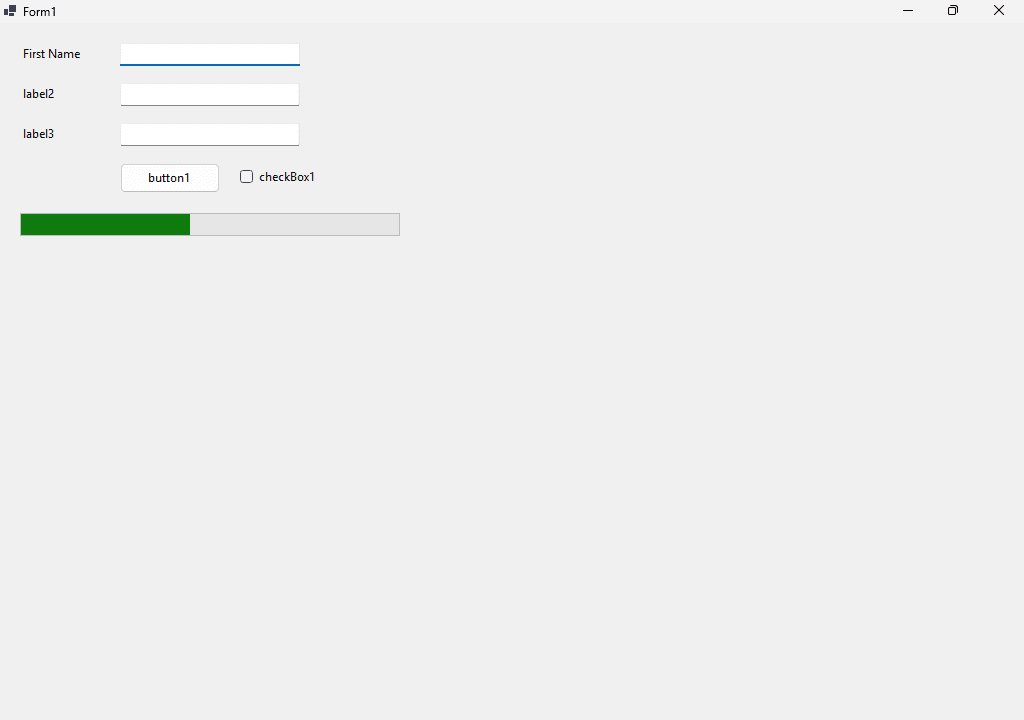
First Name45
Double-click button1: Visual Studio creates button1_Click
private void button1_Click(object sender, EventArgs e)
{
MessageBox.Show($"Hello {textBox1.Text} {textBox2.Text}");
}textBox1 is an object on the formText is a property: what the user typed$"..." is string interpolation: each part in braces becomes its valueThe user types Lab and Student and clicks button1. What does the message say?
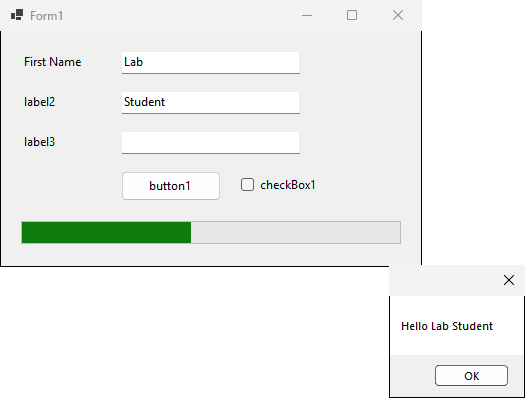
partial class Form1: the other half is Form1.Designer.cs, method InitializeComponent
this.button1 = new System.Windows.Forms.Button();
// ...
this.button1.Location = new System.Drawing.Point(120, 140);
this.button1.Name = "button1";
this.button1.Size = new System.Drawing.Size(100, 30);
this.button1.Text = "button1";
this.button1.Click += new System.EventHandler(this.button1_Click);
// ...
this.progressBar1.Value = 45;
this.Controls.Add(this.button1);You double-clicked the form by mistake, then deleted the new method Form1_Load from Form1.cs. The wiring line is still in Form1.Designer.cs.
Form1.Designer.cs(129,55): error CS1061: 'Form1' does not contain a definition for 'Form1_Load' and no accessible extension method 'Form1_Load' accepting a first argument of type 'Form1' could be found (are you missing a using directive or an assembly reference?)this.Load += new System.EventHandler(this.Form1_Load);Part 3
Inheritance, properties and objects
Press F12 on Form, then on its base class, and again
WinFormsDemo.Form1
System.Windows.Forms.Form
System.Windows.Forms.ContainerControl
System.Windows.Forms.ScrollableControl
System.Windows.Forms.Control
System.ComponentModel.Component
System.MarshalByRefObject
System.ObjectThe user types Lab and Student, then clicks button1 once
public Form1()
{
InitializeComponent();
label2.Text = "Last Name";
label3.Text = "Full Name";
}label2private void button1_Click(object sender, EventArgs e)
{
textBox3.Text = $"{textBox1.Text} {textBox2.Text}";
progressBar1.Value += 10;
}The bar starts at 45 and each click adds 10. Minimum is 0, Maximum is 100.
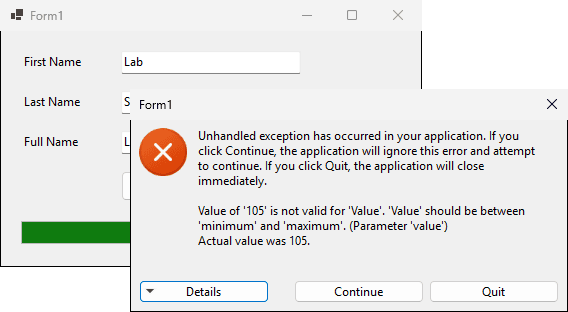
Type Lab and Student in the first window, then click button1 twice
Form1 frm = new Form1();
frm.Show();
frm.Left = this.Left + 430;
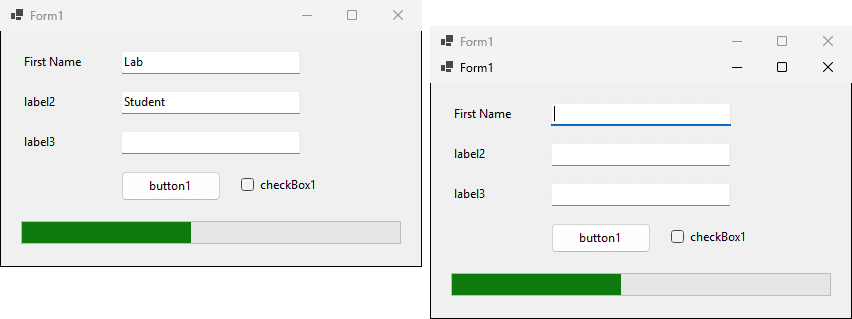
Part 4
More than one form, and more than the common controls
static void Main()
{
ApplicationConfiguration.Initialize();
Application.Run(new MainForm());
}Application.Run(new MainForm()) creates the first formpublic Form2(string message)
{
InitializeComponent();
formMessage = message;
messageLabel.Text = formMessage;
}Form2 frm = new Form2("Hello from Form 1");
frm.Show();Click Open Form 2. Then choose File, Exit on the main form, which runs this.Close().
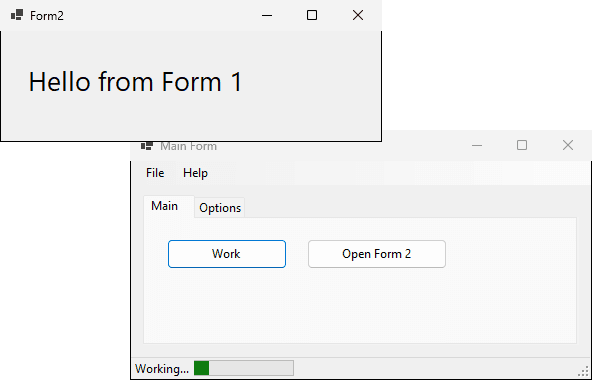

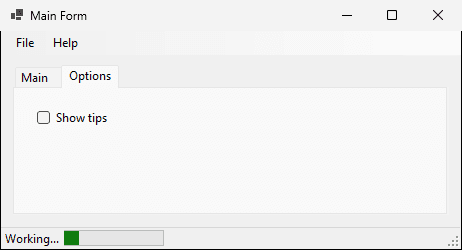
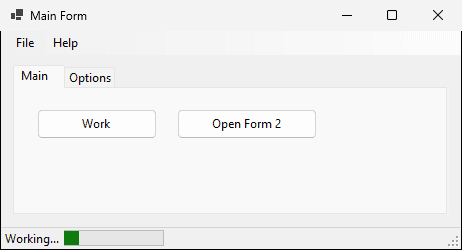
A StatusStrip (Menus & Toolbars) with a status label and a progress bar. The label starts as Ready, the bar at 0.
private void workButton_Click(object sender, EventArgs e)
{
toolStripProgressBar1.Value += 5;
toolStripStatusLabel1.Text = "Working...";
}
| You type | The menu shows | Keyboard |
|---|---|---|
&File | File, F underlined | Alt+F opens it |
E&xit | Exit, x underlined | X, inside File |
&Help | Help, H underlined | Alt+H opens it |
&About | About, A underlined | A, inside Help |
private void exitToolStripMenuItem_Click(object sender, EventArgs e)
{
this.Close();
}
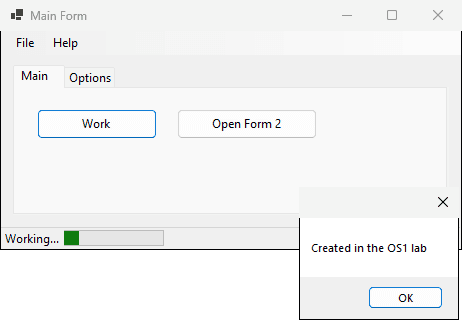
private void aboutToolStripMenuItem_Click(object sender, EventArgs e)
{
MessageBox.Show("Created in the OS1 lab");
}
A logging handler on each event, driven on Windows with the real keyboard and mouse
Part 5
Six habits before you write any code
A 360 x 150 form with a 100 x 30 button. We set the form's font to 18 points.
| What | 9 pt | 18 pt |
|---|---|---|
| Form inside (ClientSize) | 360 x 150 | 669 x 320 |
| Button | 100 x 30 | 186 x 64 |
| Label using the form's font | 9 pt | 18 pt |
| Label with its own 10 pt font | 10 pt | 10 pt |
| Old style (Hungarian) | This section |
|---|---|
lblFirstName | firstNameLabel |
txtFirstName | firstNameText |
btnSayHello | sayHelloButton |
lstCity | cityList |
You double-click button1, then rename it sayHelloButton. What is the handler called now?
private void button1_Click(object sender, EventArgs e)
this.sayHelloButton.Click += new System.EventHandler(this.button1_Click);The cursor is in the first name. Where does each Tab go?
| Control | TabIndex |
|---|---|
| firstNameText | 1 |
| sayHelloButton | 2 |
| lastNameText | 4 |
| the two labels | 0 and 3 (TabStop False) |
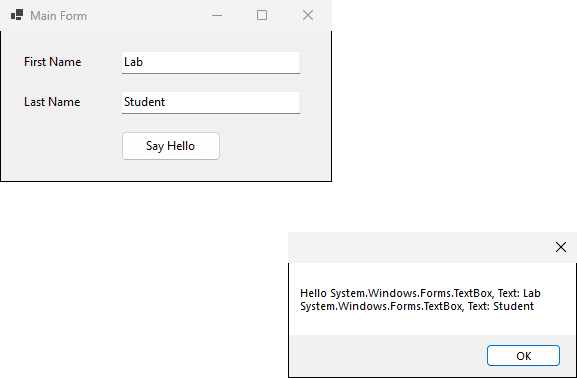
The user types Lab and Student
MessageBox.Show($"Hello {firstNameText} {lastNameText}");
namespace GreetingLibrary;
public static class Greeter
{
public static string Greet(string firstName, string lastName)
{
return $"Hello {firstName} {lastName}";
}
}using GreetingLibrary;
Console.WriteLine(Greeter.Greet("Lab", "Student"));
Console.WriteLine(Greeter.Greet("Operating", "Systems"));Hello Lab Student
Hello Operating Systems
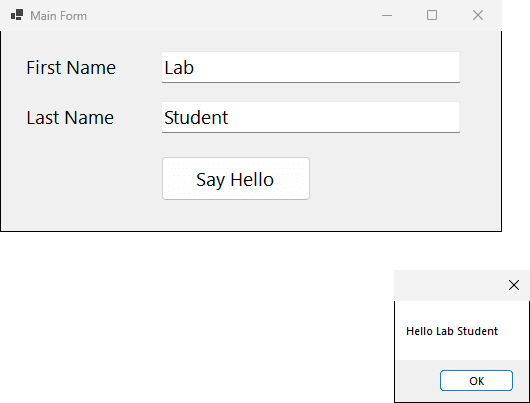
private void sayHelloButton_Click(object sender, EventArgs e)
{
string message = Greeter.Greet(
firstNameText.Text, lastNameText.Text);
MessageBox.Show(message);
}button1, then renamed it saveButton. The handler's name?txtEmail in this section's style.button2_Click and the designer broke. Which line goes, and from which file?Part 6
About 30 minutes; answer first, then build and run
About 6 minutes
| Control | TabIndex | TabStop |
|---|---|---|
| nameText | 3 | True |
| emailText | 7 | True |
| phoneText | 5 | True |
| newsCheck | 1 | False |
| saveButton | 12 | True |
nameText (TabIndex 3, the lowest tab stop)phoneText (5)emailText (7)saveButton (12), then Tab 4: back to nameTextAbout 6 minutes
this.checkBox1.CheckedChanged += new System.EventHandler(this.checkBox1_CheckedChanged);Form1.Designer.cs(104,75): error CS1061: 'Form1' does not contain a definition for 'checkBox1_CheckedChanged' ...About 6 minutes
// progressBar1: Maximum = 50, Value = 0
private void button1_Click(object sender, EventArgs e)
{
progressBar1.Value += 15;
}
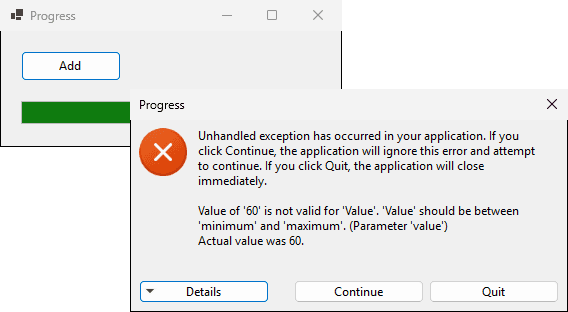
Value of '60' is not valid for 'Value'About 12 minutes
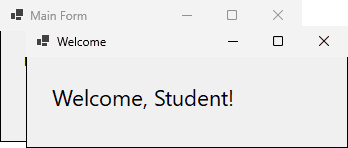
Main Form): nameLabel, nameText, welcomeButtonWelcome): a large welcomeLabelWelcome, + name + !nameTextStudent? What does new WelcomeForm() do?public WelcomeForm(string userName)
{
InitializeComponent();
welcomeLabel.Text = $"Welcome, {userName}!";
}
private void welcomeButton_Click(object sender, EventArgs e)
{
WelcomeForm frm = new WelcomeForm(nameText.Text);
frm.Show();
}
Mahmoud Abas|Windows Forms: The Code Behind the Form